Turn your iPhone camera into a heat-map thermal look, an X-ray whose skeleton follows a real person, and a ghost detector with a spirit box. Point, play, capture — and know exactly what you are looking at.

Free to try · iPhone, iOS 17+ · 13 languages · No account
Live effects on the camera, drawn on your iPhone's GPU, ready for a photo or a video.
A false-colour heat map of the live camera, mapped from brightness and auto-levelled so the picture keeps its range as the light changes.
Iron, Rainbow, Arctic, Lava, White Hot and Black Hot — the looks of real thermal cameras, one tap apart.
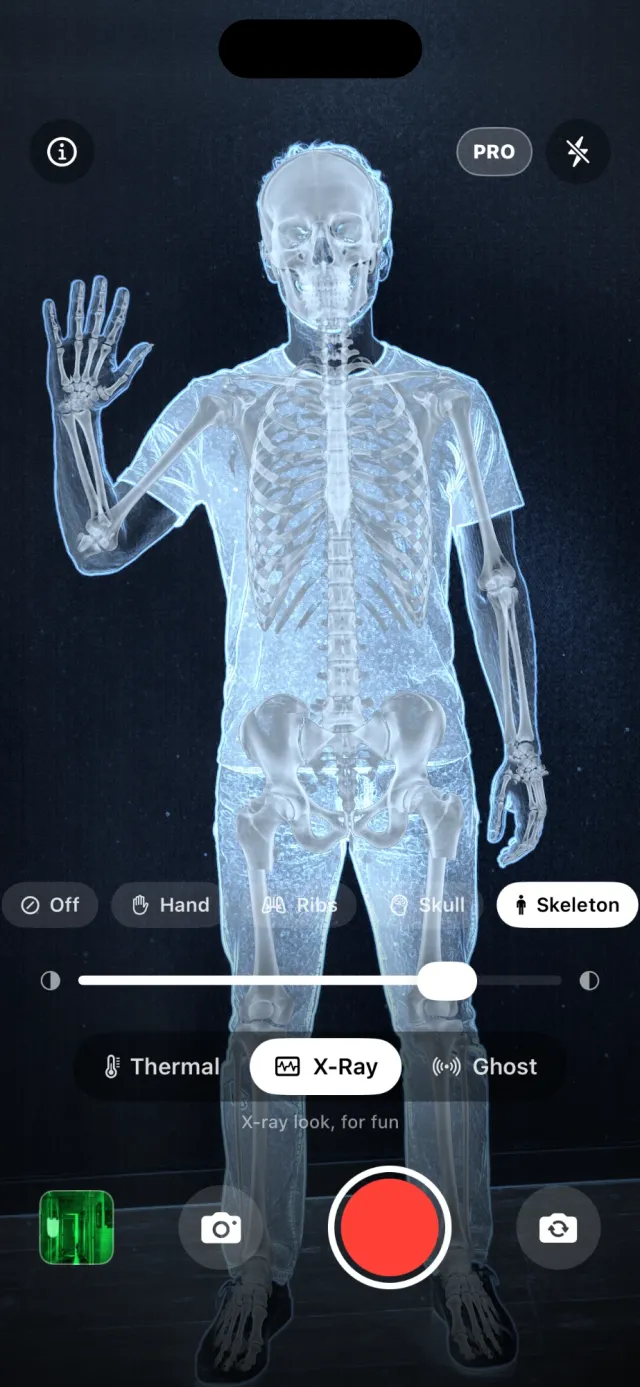
A skeleton over a person, hand bones over a raised hand, a skull over a face. Auto picks the right one, and the bones move with them.
A night-vision readout with a signal meter wired to real inputs: movement in the frame and sound from the microphone.
A bride, a boy, a hooded figure, something crawling toward you… When the meter spikes one appears, and it stays put in the room as you turn the phone.
Radio static, channels clicking past and, now and then, a word. A sound effect that follows the meter — and is labelled as one.
Capture the effect as a photo, or record video with sound. Everything you take is kept in the app's gallery, ready to share.
Turn the effect on yourself or on the room. Pinch to zoom, and switch on the torch for a dark corridor.
The camera image and the microphone are processed on the iPhone. No account, and your photos and videos are never uploaded.
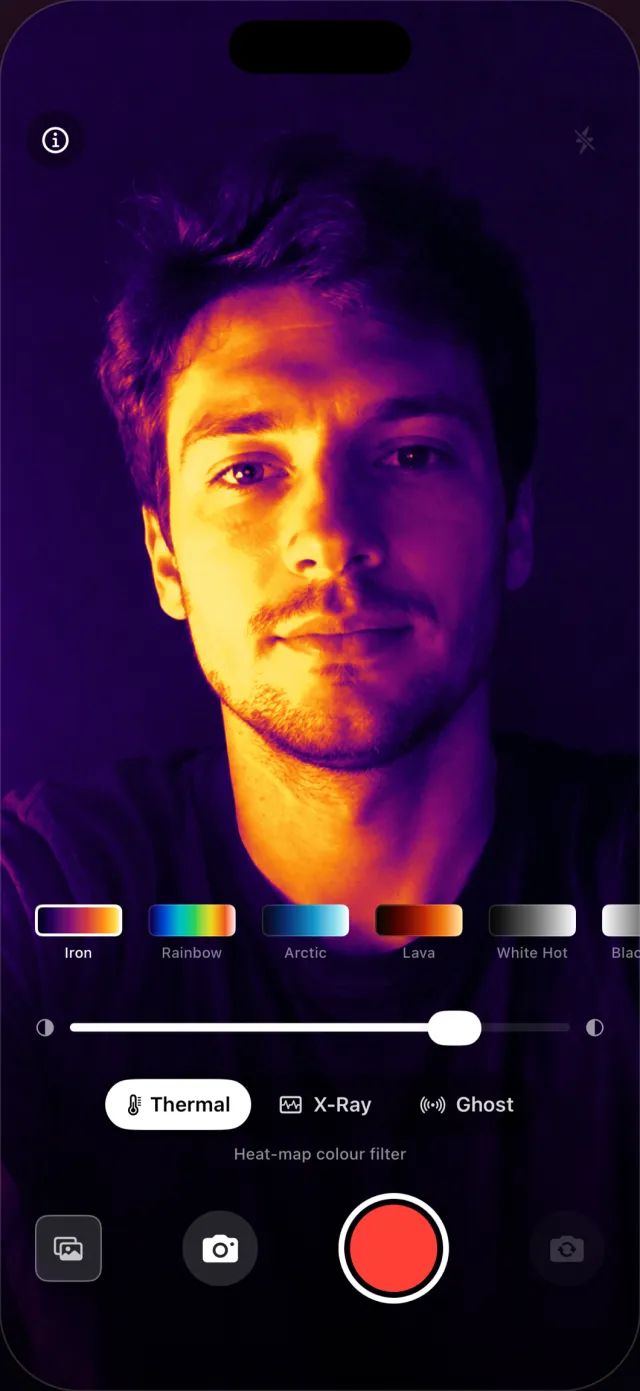
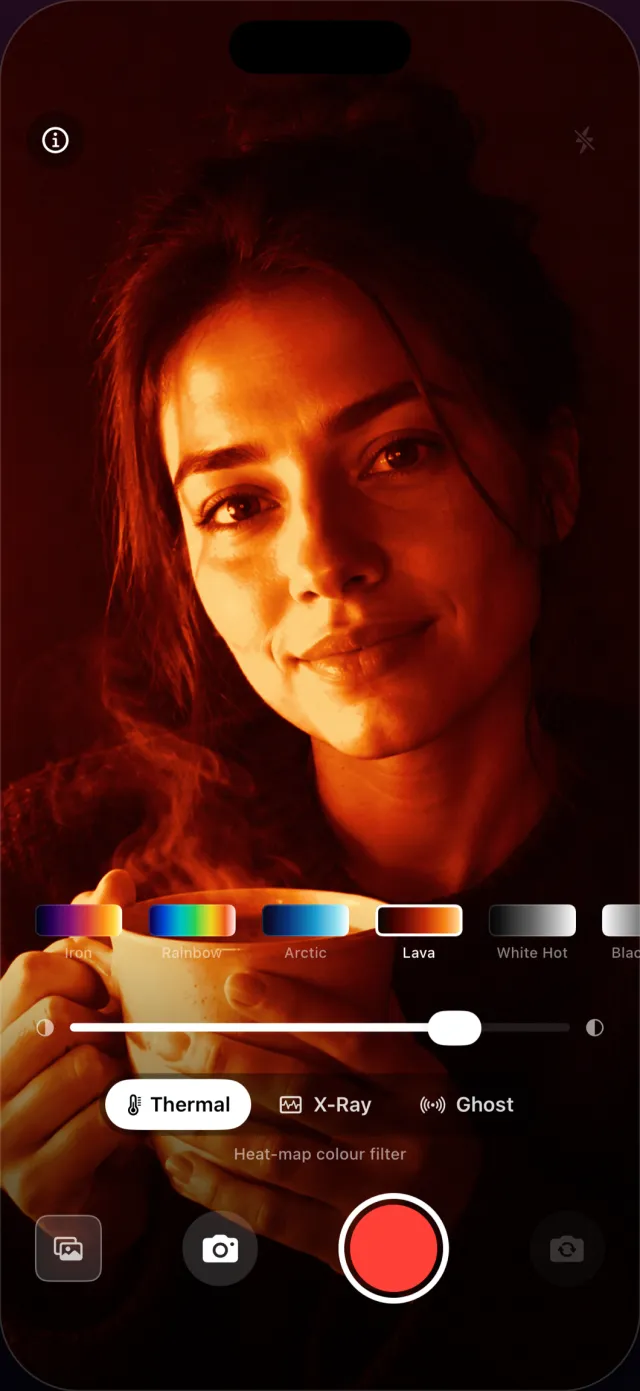
Thermal FX turns the ordinary iPhone camera into a live heat map. Bright areas glow white and yellow, dark ones fall to purple and black, and the picture re-levels itself as you move, so faces, hands and hot drinks stand out the way they do on a thermal imager. Six palettes cover the classic looks — Iron, Rainbow, Arctic, Lava, White Hot and Black Hot — and a slider sets how hard the effect is pushed.
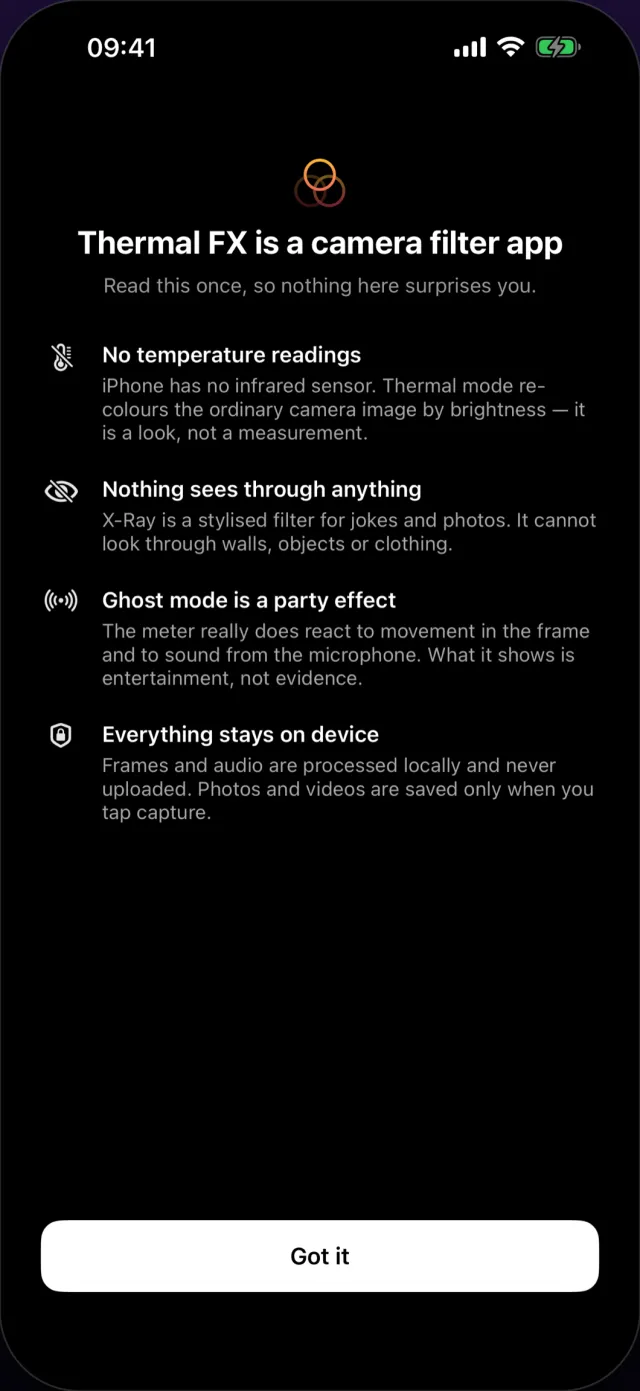
It is a look, not a measurement: the app shows no temperatures, because the iPhone has no sensor that could produce one.
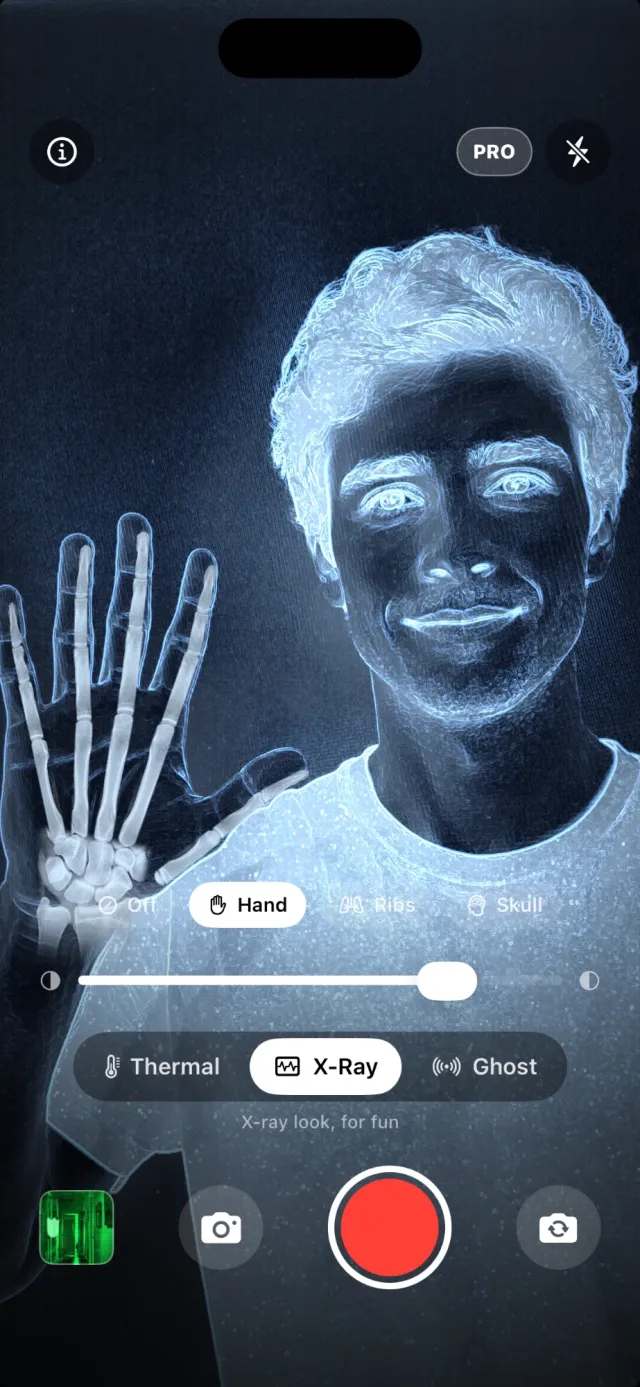
X-Ray gives the camera a cold, blue radiograph look and lays bones over what it finds. Point it at a friend and a whole skeleton stands where they stand; hold a hand up close and the finger bones bend with the fingers; turn to a face and a skull sits on it. Detection runs on the iPhone itself, and Auto chooses the skeleton, the hand or the skull for you — or pick Skeleton, Hand, Ribs or Skull yourself.
It makes a good photo for a party or for Halloween. It does not see through anything: the bones are drawn on.
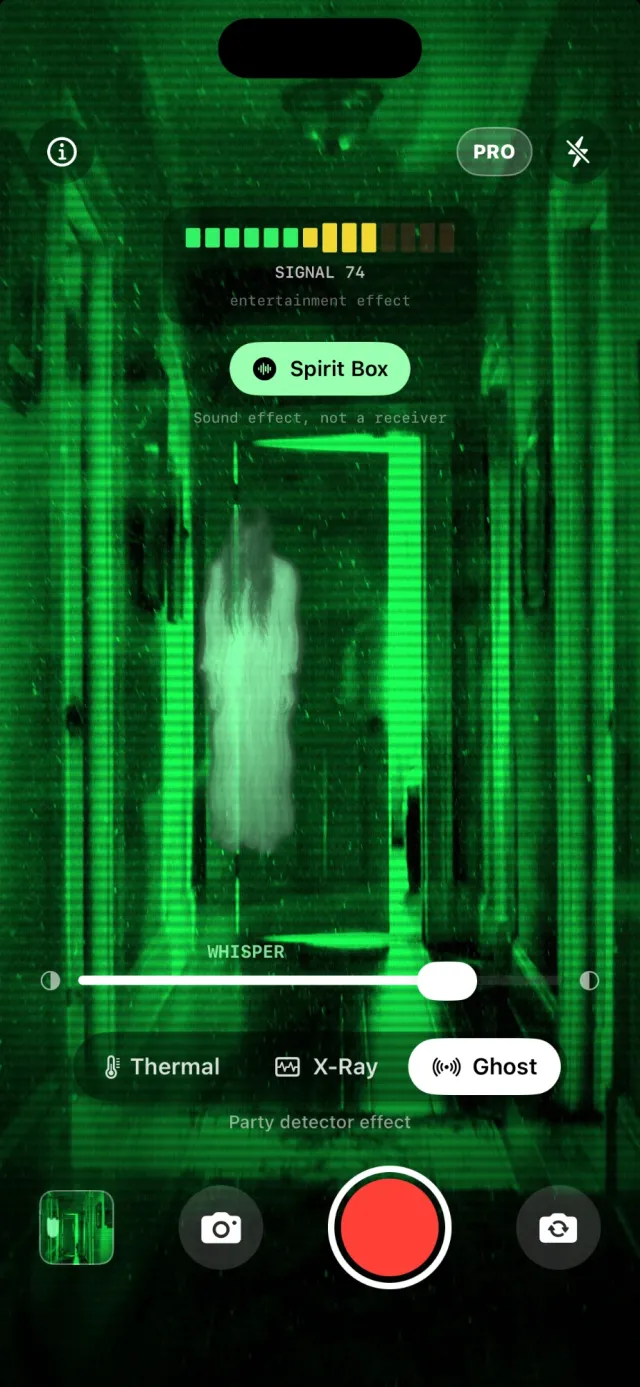
Ghost mode turns the screen into a green night-vision readout with a signal meter. The meter moves for real reasons — movement in the frame and sound from the microphone — so a question asked out loud or a step into a dark hallway makes it jump. When it spikes, one of ten ghosts appears in the picture, and it stays in its spot in the room as you turn the phone.
Switch on the spirit box for static, channels clicking past and the odd word in reply. It is all entertainment, and the app labels it that way: the words come from a fixed list, spoken by the phone's own voice.
Does iPhone have a thermal camera? No. An iPhone has no infrared sensor, and no app can add one. Thermal FX re-colours the normal camera image by brightness. Real thermography needs an attachment such as a FLIR One or a Seek Compact.
Thermal, X-Ray or Ghost — and a palette or a bone overlay to go with it.
At a person, a hand, a face or a dark room. The effect runs live as you move.
Take a photo or record a video with sound, then share it straight from the app.
No. iPhone has no infrared sensor, so no app can measure heat with the built-in camera. Thermal FX gives you the thermal look: it re-colours the camera image by brightness, live, in six palettes. For real temperatures you need an attachment such as a FLIR One or a Seek Compact.
No. Nothing in the app sees through walls, objects or clothing. Thermal is a colour effect, and the X-ray bones are pictures laid over the camera image where it finds a person, a hand or a face.
Thermal FX gives the live camera an X-ray look and draws bones over it. On Auto it lays a whole skeleton over a person, hand bones over a hand held up close and a skull over a face, found on the iPhone itself, and the bones follow as they move. You can also pick Skeleton, Hand, Ribs or Skull yourself.
No, and the app says so on screen. Its meter is driven by two real inputs: movement in the camera image and sound from the microphone. When the meter spikes, a ghost appears in the picture. It is an effect for parties and Halloween, not evidence.
It is a sound effect: radio static, the click of channels changing and now and then a word, spoken by the phone's own voice from a fixed list and pushed through pitch and reverb. An iPhone has no radio and nothing is received. Its rhythm follows the ghost meter and the microphone.
Thermal mode with the Iron and White Hot palettes is free, and photos are saved with a small watermark. X-Ray and Ghost can be tried free before you decide. Thermal FX Pro unlocks all three modes, all six palettes, video recording and clean photos, as a weekly subscription or a one-time lifetime purchase.
No. The camera image and the microphone are processed on your iPhone. Photos and videos are saved in the app and, if you allow it, in your photo library, and nowhere else.
Any iPhone with iOS 17 or later, with the front or the back camera. The app is in 13 languages.
Thermal is free. X-Ray and Ghost can be tried before you decide.
Questions or a bug? Write to support@thermal.slumbiapp.com or see Support.